As a Founder, I Use My CRM for Way More Than Closing Deals
As a founder, I use my CRM for way more than closing deals and contact management, and here's why you should too. Most people treat their CRM like a glorified Rolodex with a sales pipeline bolted on and then wonder why it feels like homework, when the same system can run your projects, your calendar, your task list and a good chunk of your automations if you let it.
In this article
- My Day Starts in a Browser, Not Outlook
- A Save-File Recap for My Workday
- Every Task Assigned to Me, on One Board
- Projects Run Right Next to the People They're For
- One Calendar Instead of Three
- My Gmail Threads Live on the Contact
- Automations I Can Actually See and Test
- A Warning Before Two Automations Start a Fight
- Sketch It First, Build It Second
- Your CRM Can Do a Lot More Than Close Deals
My Day Starts in a Browser, Not Outlook
I generally start my day in Gmail. Like most of my fellow millennial techies, I abhor most desktop apps, especially Outlook, and prefer to spend my days in a browser. My affinity for all things web based led me to look away from my iPhone and Pixel for most of my productivity needs, so instead I pop open Chrome and immediately hit my CRM for my day's activities.
A Save-File Recap for My Workday
The first thing I see is what I did recently and what I did a few days ago, and that feature was inspired by Pokémon FireRed and LeafGreen. For those who never played the game, whenever you would shut your game down and start back up for the day, you'd get a recap of all the stuff you did the last time you played.
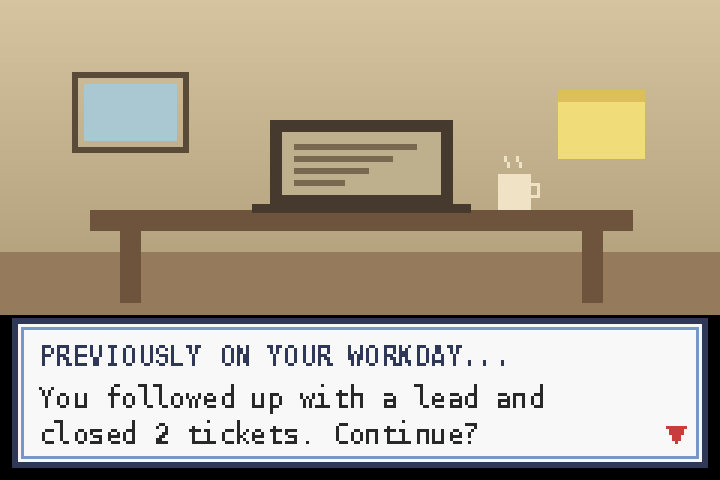
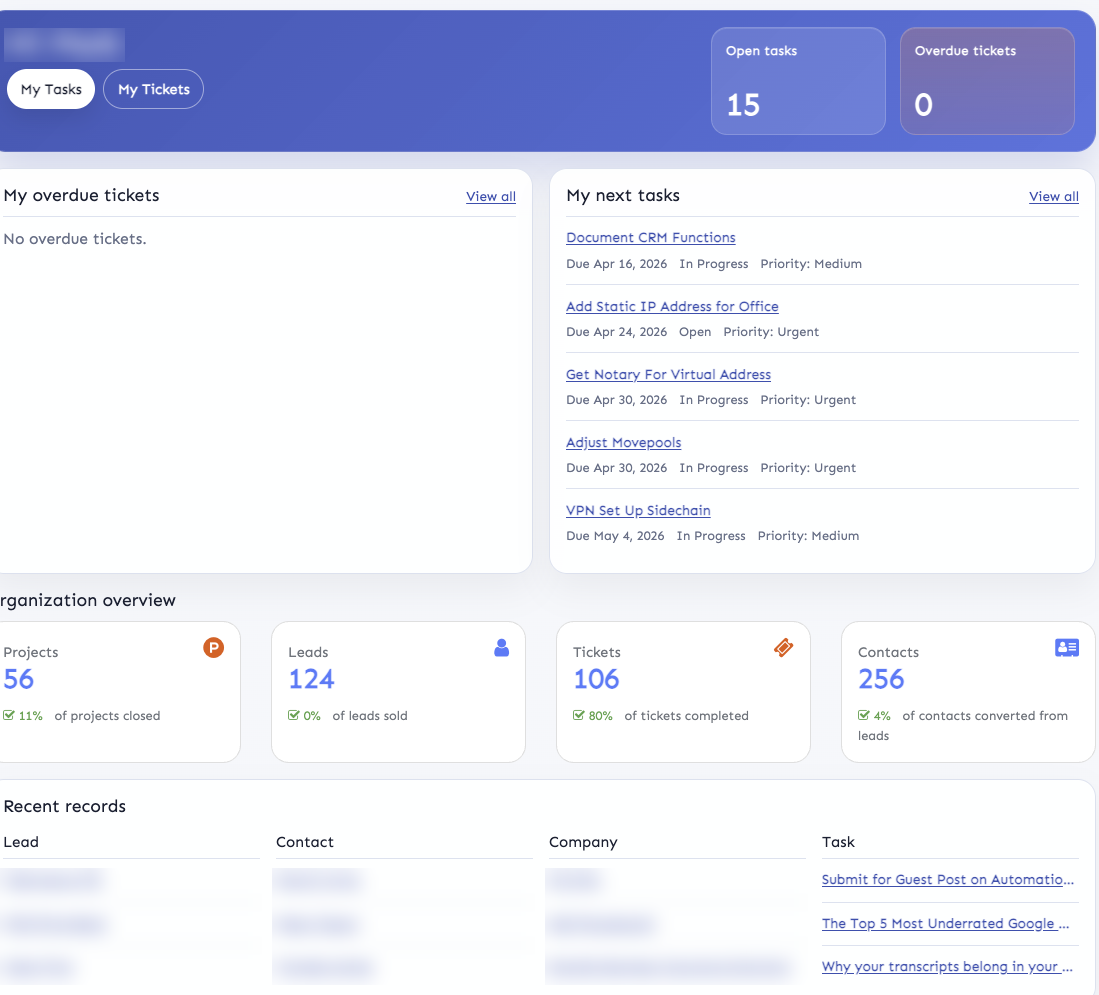
For me this is a godsend, because I'm often bouncing back and forth between projects so much that I will forget who I spoke to and why, or what ticket I was working. You'll also notice my next tasks have nothing to do with selling anything, since adding a static IP for the office, getting a notary for a virtual address and setting up a VPN are the founder chores that would otherwise live on a sticky note until they turn into an emergency.
Every Task Assigned to Me, on One Board
My Tasks gives me a nice picture of everything assigned to me, sorted by due date, and I drag a card into In Progress when I actually start on it or flag it as Needs Help when I'm stuck instead of quietly letting it rot at the bottom of a list.
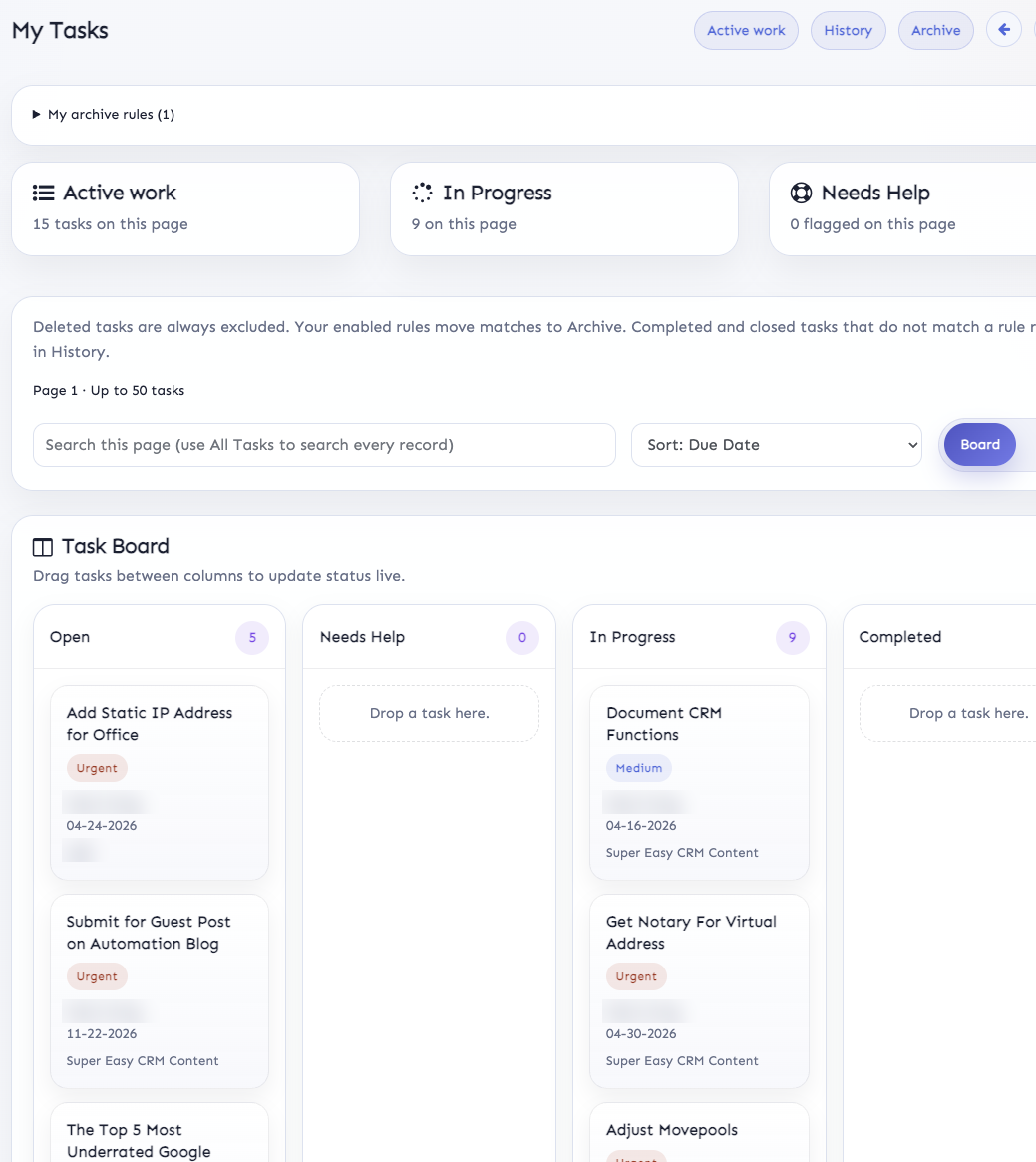
Half of my best to-dos show up in the middle of a discovery call or while I'm driving, and if I don't grab them right then they're gone for good, so I just say them into my Pixel Buds. They land in Google Tasks, and the Google Tasks integration pulls them straight into Super Easy CRM so they end up on this same board instead of in yet another app I have to remember to check.
Projects Run Right Next to the People They're For
For a small team there's no reason to pay for a separate project tool, and I run my own projects in the CRM to prove it. Each one gets a summary with status, dates, budget and progress, along with its milestones, tasks, tickets and events, so I'm not jumping between a project tool, a ticketing tool and a spreadsheet just to figure out whether something is on track.
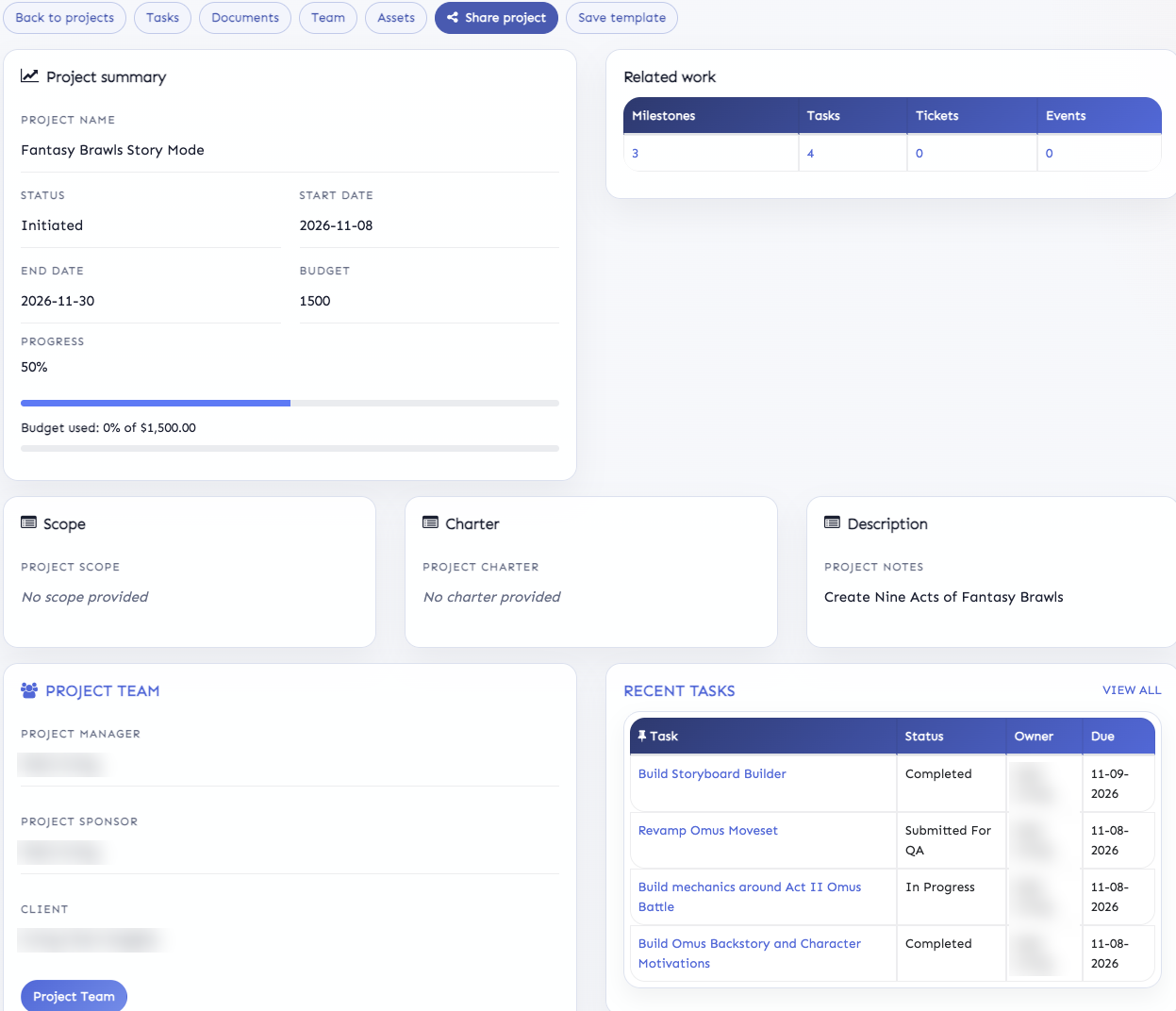
That screenshot is the Story Mode build for my browser battle game, where the goal is nine acts of story and the recent tasks show exactly where I'm at, from a storyboard builder that's done to a moveset revamp sitting in QA. I went deeper on why projects and tickets belong next to your customer data in my piece on CRM project management and ticketing.
One Calendar Instead of Three
A meeting with no context is just a block of time you'll show up to unprepared. My Google Calendar is connected to Super Easy CRM, and when I flip to the Unified view I get my CRM events, my Google appointments and my task due dates on one month view, so I can tell at a glance whether that Thursday deadline is going to collide with a client call and something personal before it actually happens.
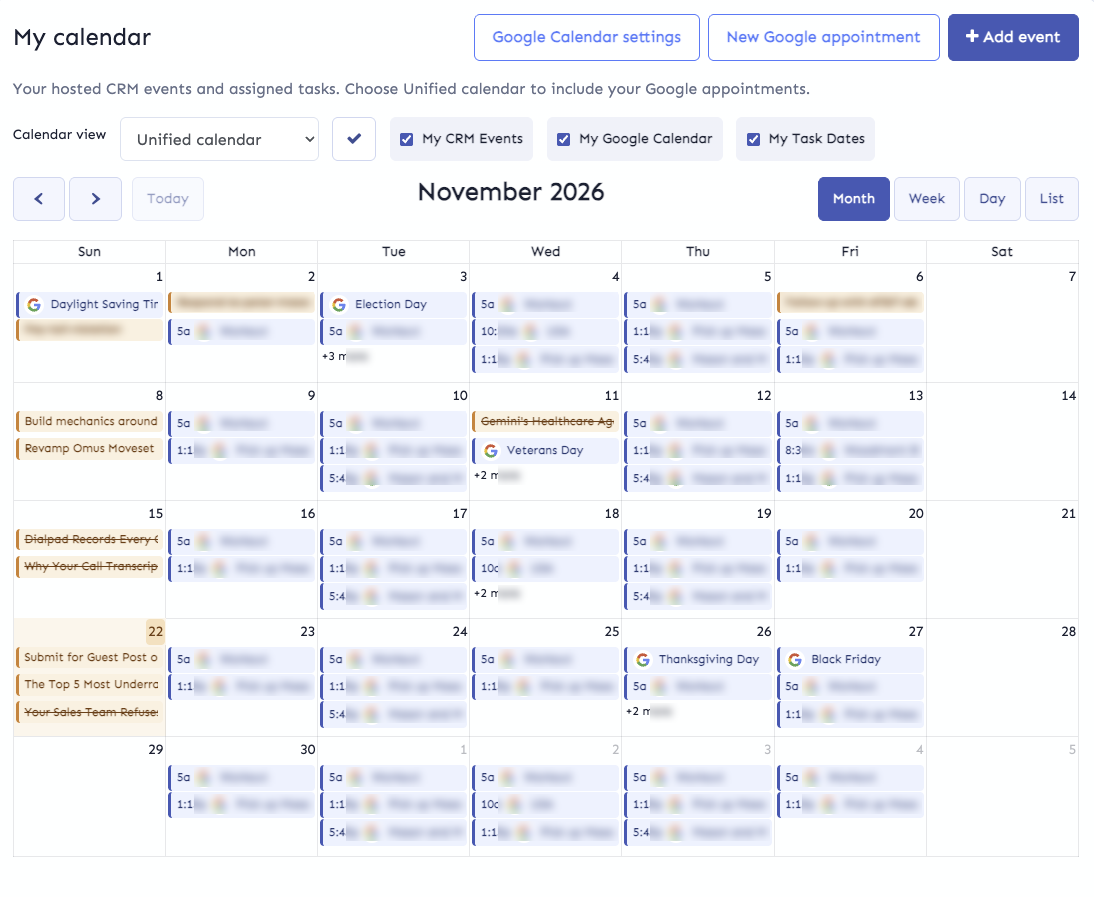
Each source has its own checkbox, so when I only want to see CRM work I can turn Google off and cut the noise, and I can create a Google appointment without leaving the CRM. Finished tasks stay on the calendar with a strike through them, which is a small thing, but on a rough week it's nice to look back and see that I did actually get something done.
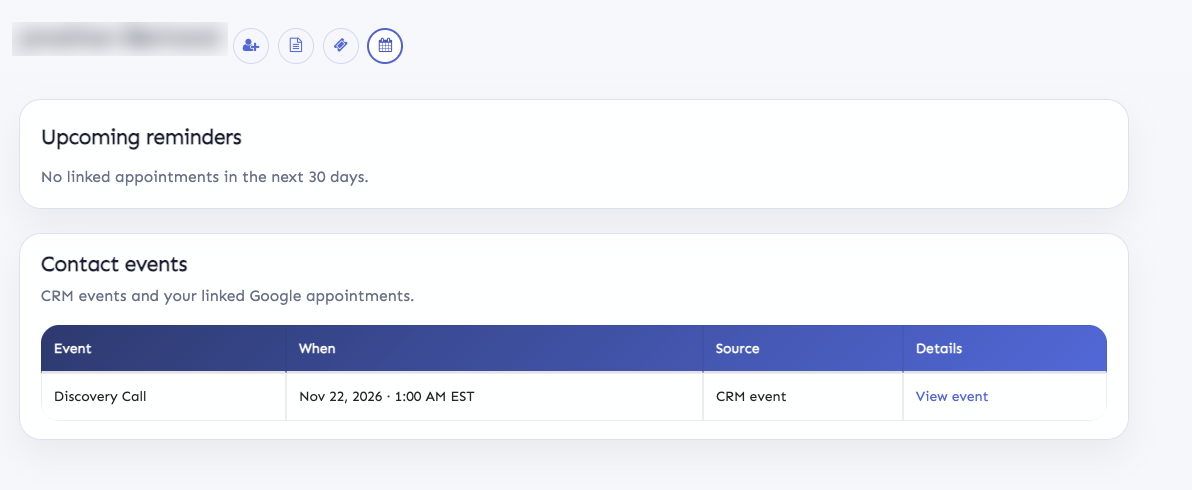
The part I lean on most is on the contact record itself, where every contact has its own events list showing CRM events, any Google appointments I've linked to that person and any reminders coming up in the next 30 days, so before a discovery call the meeting history is sitting right there with everything else I know about them.
My Gmail Threads Live on the Contact
Before I built this I was digging through my inbox at least eight times a week, usually right before a call, trying to find the last thing I sent so I didn't walk in sounding like I'd forgotten who they were. Now Super Easy CRM matches my Gmail conversations to the contact by email address, so when I open a record I see every thread I've had with that person and can hit refresh to pull in anything new.
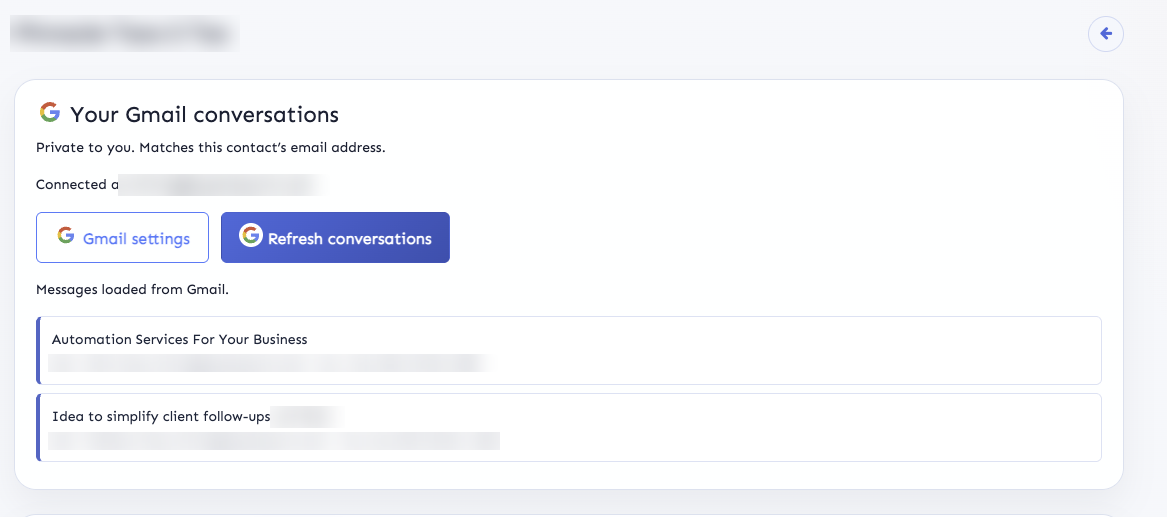
Those conversations are private to me, which matters more than people think, because nobody wants their whole inbox showing up for the rest of the team just because they connected Gmail. It also means I'm not copying and pasting emails into a notes field like it's 2009, which is exactly the kind of homework that makes people quit using their CRM in the first place.
Automations I Can Actually See and Test
Every internal automation I run sits in one saved list with its trigger, status and last update, and most of them are boring on purpose, like flagging a record with a missing email, routing new tickets by priority, creating a healthcare ticket when the right kind of contact comes in, or kicking off a follow-up task when a new company gets created.
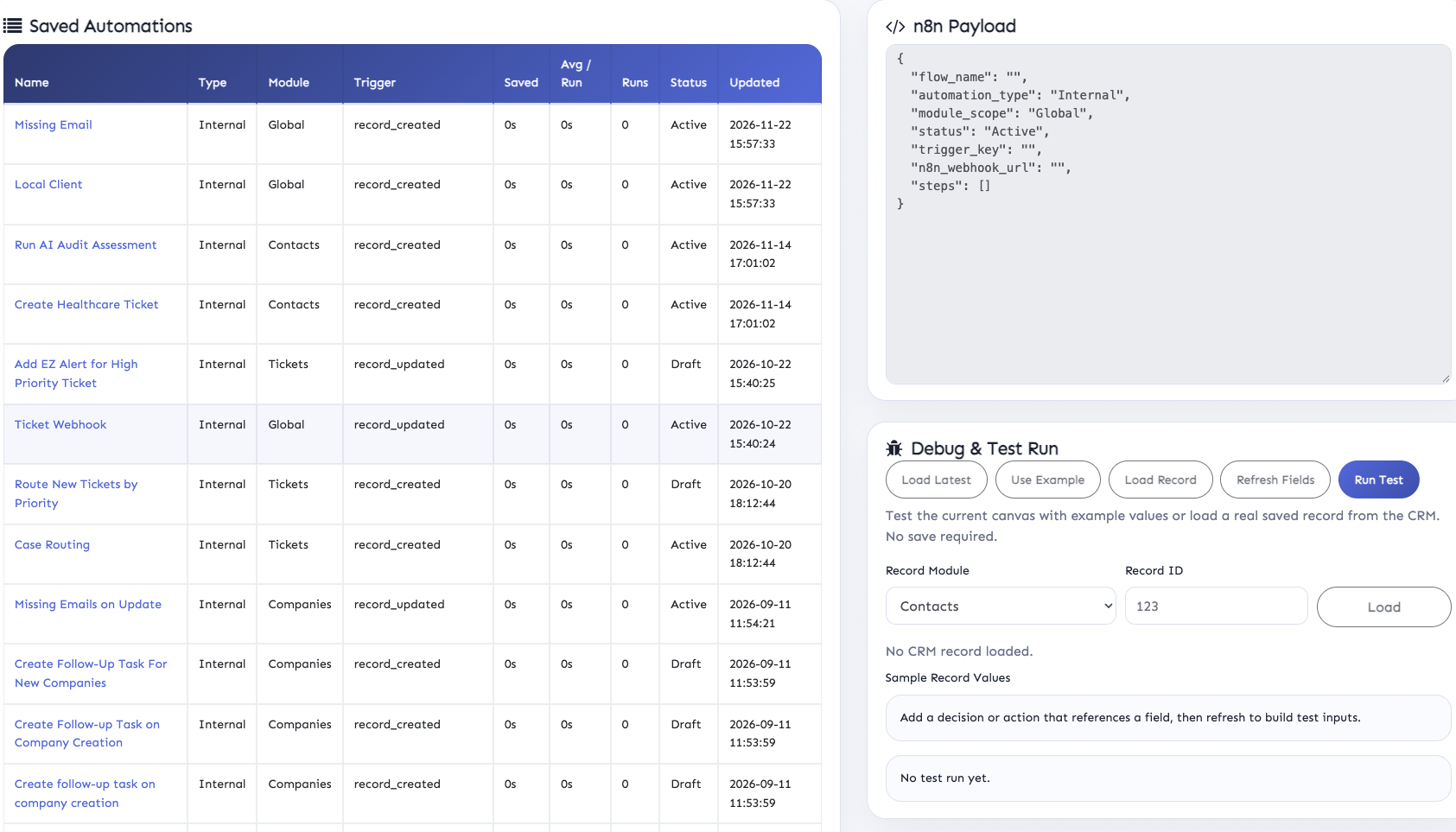
And yes, I have three versions of the same follow-up task automation sitting in Draft, which is exactly the clutter you get when you build fast and clean up later. The Debug & Test Run panel lets me load a real record or use example values and run the flow without saving anything, and when a job needs to leave the building the automation can hand its payload off to n8n.
A Warning Before Two Automations Start a Fight
This is the cool little feature I'm proudest of. When I build a flow on the same module and trigger as one that's already active, the builder throws a warning across the top naming the overlapping flow and telling me the two can overwrite each other.
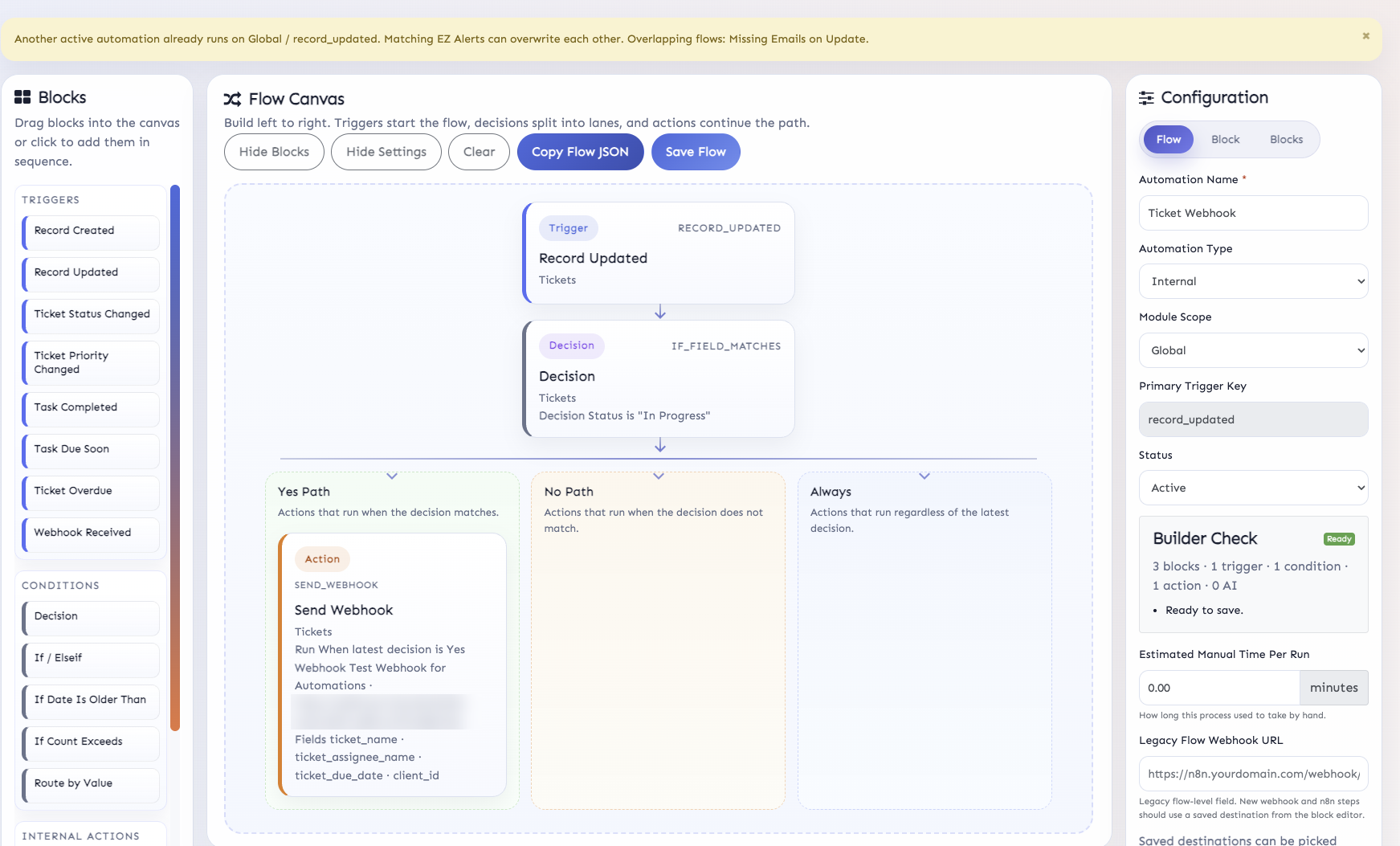
Conflicting automations are how you unleash hell on a CRM, because one flow sets a field, another sees the update and changes it back, and you spend your afternoon wondering why your records keep flipping like a light switch. I really wish Power Automate and the other big tools would include something like this, since in most of them you only find out two flows are fighting after the damage is already in your data.
Sketch It First, Build It Second
A good chunk of my prototyping happens in the MattFlows Flow Builder before I move it into Super Easy CRM or n8n. I drag the pieces onto the canvas, connect them, play back the data path to see where things branch or loop and check the cost estimate before committing to anything, which is a lot cheaper than discovering a bad design after it's already running against live records.
Your CRM Can Do a Lot More Than Close Deals
Deals and contacts are the starting point, but once your tasks, projects, calendar, email and automations all live in the same place, the CRM stops being a chore you update for someone else and becomes the first tab you actually want to open in the morning. That's the whole idea behind Super Easy CRM, and if you want help setting yours up the same way, come say hi.

Posted by: Matt Irving on 11/22/2026