Google Tasks CRM Integration: Why Your To-Do List Belongs in Your CRM
Most CRMs don't fail in some dramatic meeting where everyone agrees to abandon them, they fail quietly because people start their day in Gmail, Google Calendar, and their to-do list, and the CRM becomes a place they visit at 4:45 to file paperwork about work they already did. I've watched that happen at insurance firms, financial institutions, and healthcare orgs for ten years, and it's a big part of why I built a Google Tasks integration into Super Easy CRM that syncs both ways and asks exactly one thing of the user, which is to link their Google account.
Your team already captures follow-ups on their phones, so a CRM that pulls in Google Tasks automatically gets that work without anyone retyping it. In Super Easy CRM you link your Google account, pick your task lists, and tasks sync in about a minute, with completion flowing back to Google.
Why should your CRM care where your to-do list lives?
Because whatever app holds someone's tasks is the app they open first, and if that app isn't the CRM, the CRM will always be the thing they update after the fact.
Follow-ups get captured wherever is fastest, which is usually a phone, not a CRM. The CRM wants a login, three clicks, a record lookup, and a form, while the phone wants three seconds, and the phone wins that fight every single time, so I'd rather have the CRM sit downstream of the phone and quietly collect what people were going to write down anyway.
The integrationHow does the Super Easy CRM Google Tasks integration work?
You link your Google account from your settings, choose which task lists you want synced, and from then on new and changed tasks show up in the CRM on their own, with completion flowing back to Google so you only check things off once.
- One connection per person. Each user links their own Google account, so nobody's tasks wander into somebody else's CRM.
- You pick the lists. If your grocery list lives in Google Tasks too, it can stay out of your work system, which your coworkers will appreciate.
- Sync runs about every minute. A background job checks even when the CRM isn't open, so the task you dictated in the parking lot is waiting by the time you sit down.
- Completion goes both directions. Finish or reopen a linked task in either app and the other one catches up on the next sync.
- No middleman to pay for. The CRM talks to Google's Tasks API directly, so there's no Zapier, Make, or n8n subscription quietly holding the whole thing together with duct tape until a token expires and the salesperson who missed the follow-up is the first one to notice.
How do I actually use Google Tasks with my CRM every day?
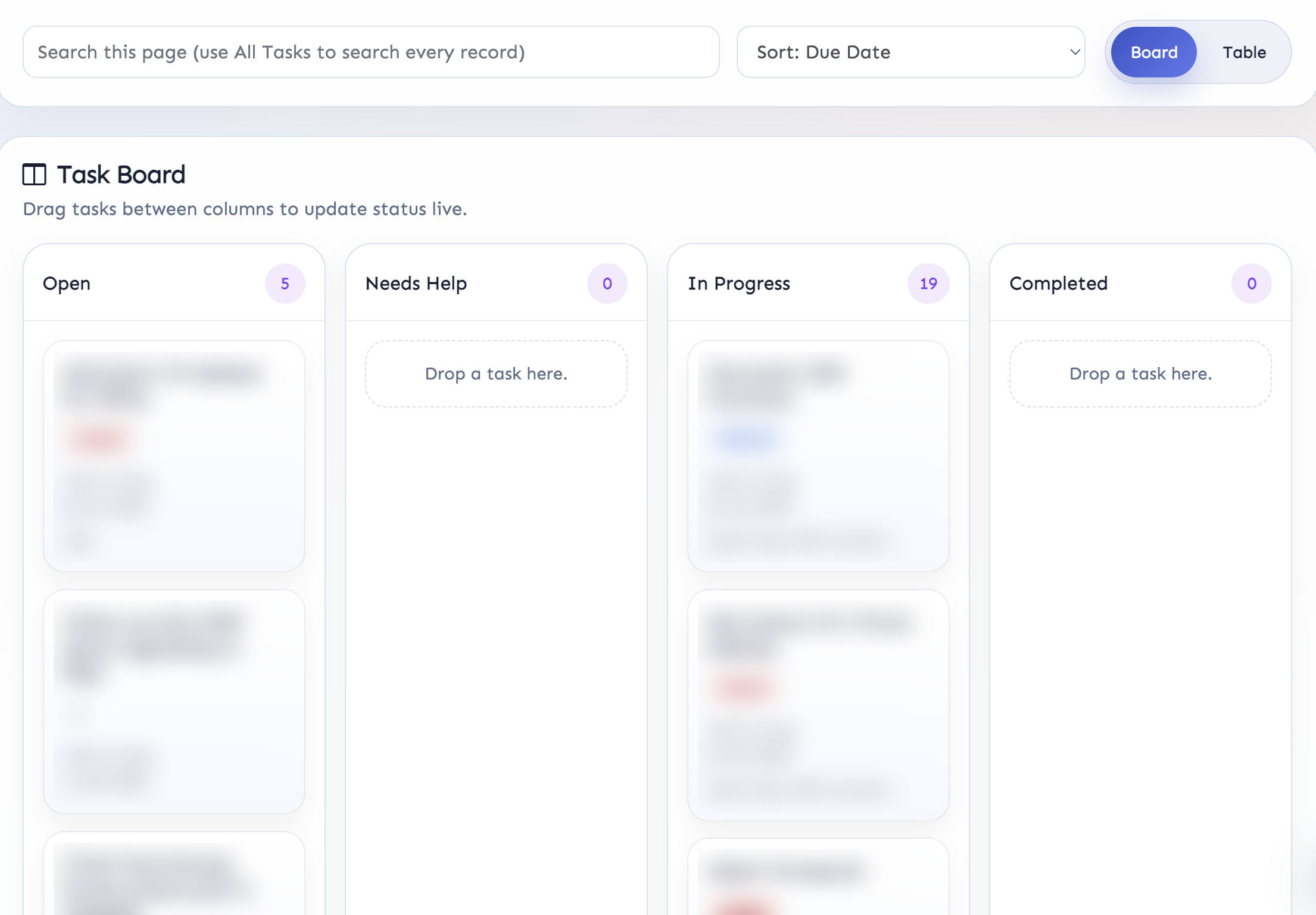
I talk my tasks into my Pixel Buds all day long, Gemini drops them into Google Tasks, and a minute later they're sitting in my CRM task board as real tasks assigned to me, without me touching a keyboard.
I wrote up the whole build and the gotchas in how I get Google Tasks into my CRM by talking to my Pixel Buds, but the short version is that every reminder I dictated used to cost me another minute or two to transfer from Google Tasks into my own CRM, which is exactly the kind of homework I tell clients software shouldn't create, and the great ideas I'd cook up on the drive to my kid's football practice often never got logged at all. Most of what I dictate now is the observations and feedback I pick up when I'm not in front of my MacBook, and the place it matters most is discovery calls, because the moment you start typing while a client is explaining how their current system is broken, they start talking to the top of your head instead of to you.
The AT&T follow-up on my board above is one I said out loud while doing something else entirely, and it landed in my Open column with its Friday due date already set.
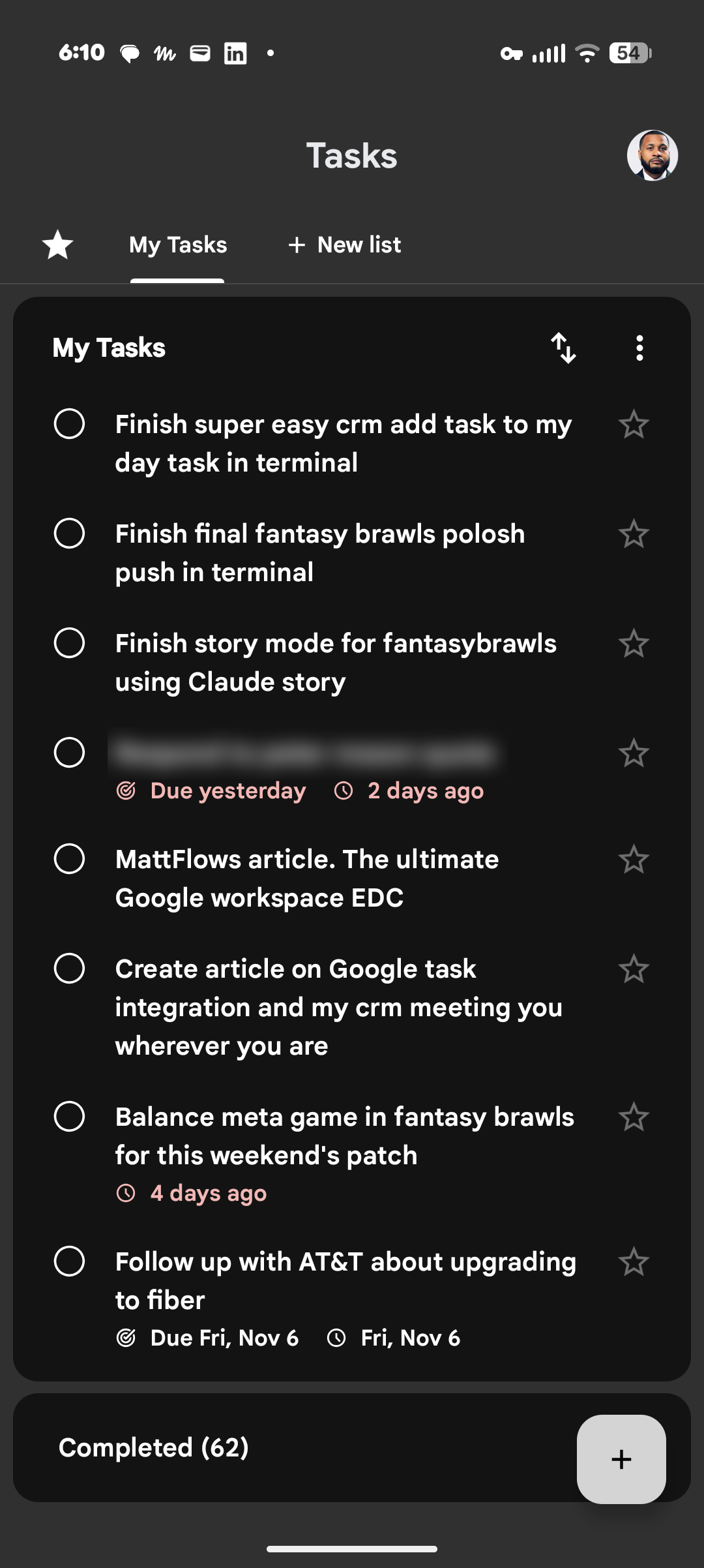
As I write this, the My Tasks list on my Pixel has 8 open items and 62 completed ones, and one of those open items reads "Create article on Google task integration and my crm meeting you wherever you are," which I said into my earbuds and which you are now reading, so the system has at least one success story nobody can call a mystery customer.
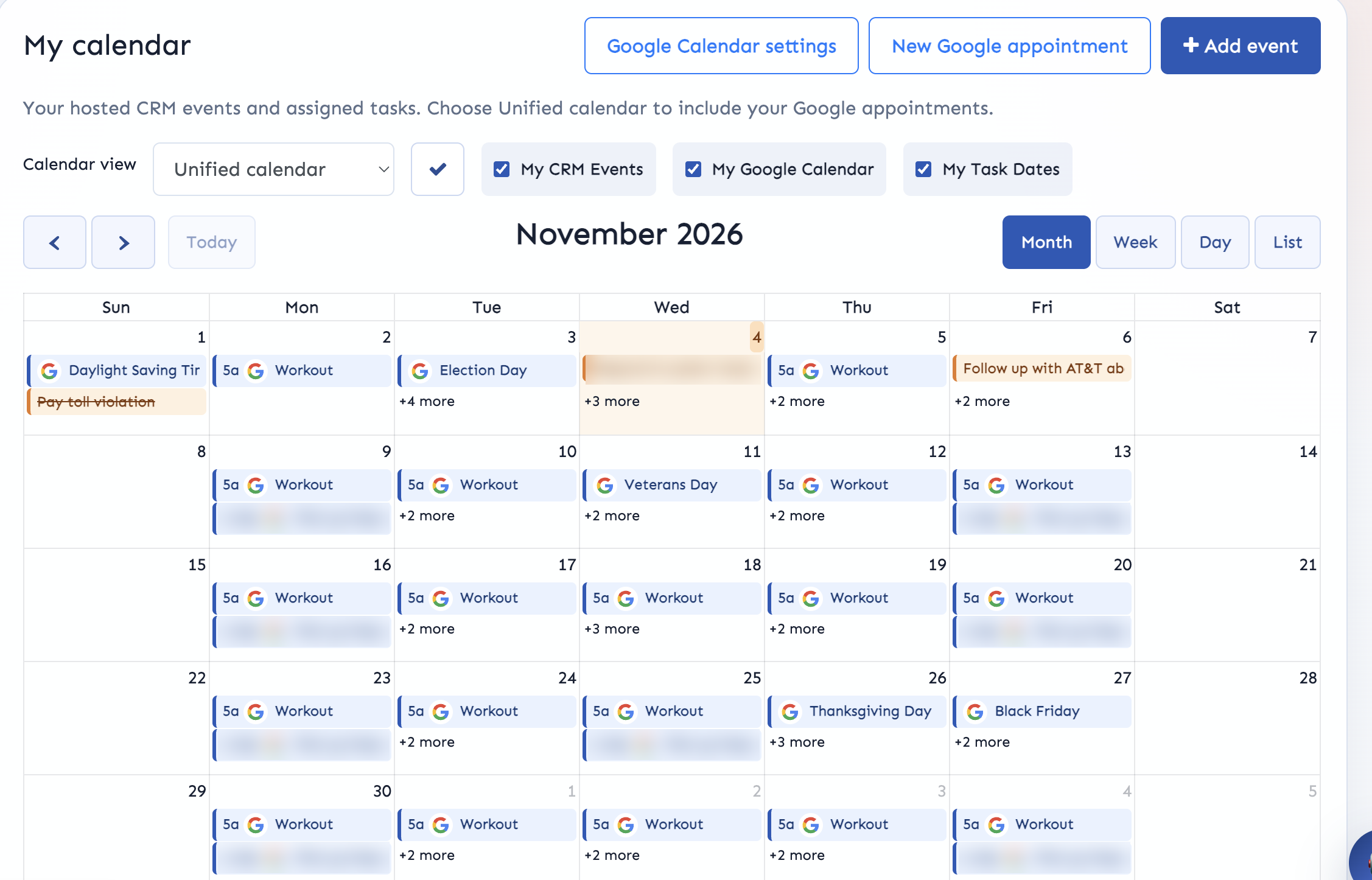
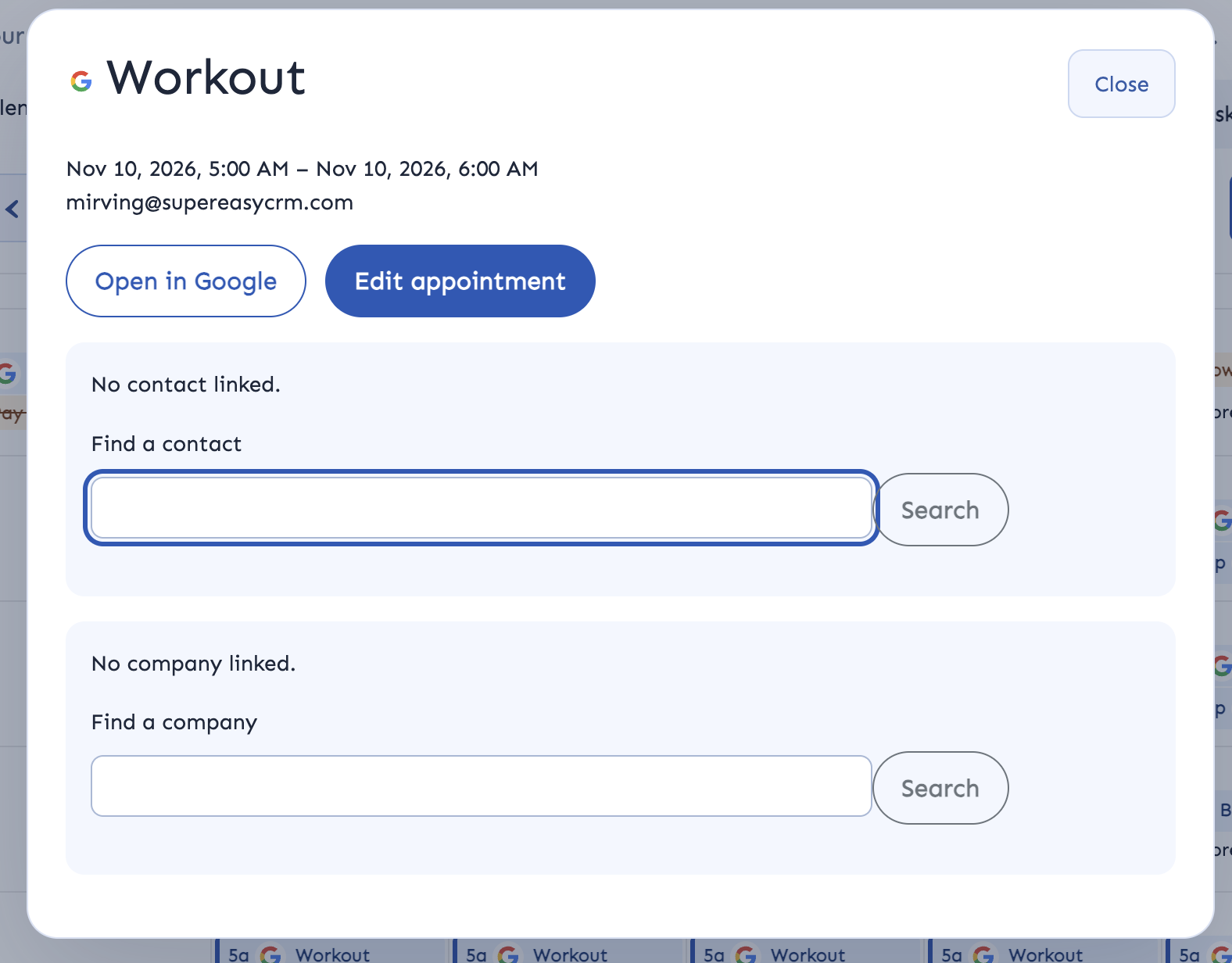
That AT&T task also shows up on my unified calendar on its due date, sitting alongside my CRM events and the Google Calendar appointments that come through the calendar integration, so I'm looking at one view of my week instead of flipping between three tabs, and any Google event can be linked to a contact or company right from the calendar.
Why does integrating with Workspace or Microsoft 365 drive CRM adoption?
Because adoption isn't a training problem, it's a "what do I get out of this" problem, and plugging the CRM into the suite people already live in gives every user something back for the data they put in.
Whether your company runs on Google Workspace or Office 365 (gross, kidding, mostly), your people already have a calendar, an inbox, and a to-do list they trust, and every one of those is a place where CRM data is either being created or being lost. I'll own my bias here, since Super Easy CRM is Google-native on purpose: I prefer web apps to desktop apps, I'd take Google Chat over Teams any day, and a former employer that used spreadsheets as its database, CRM, patient tracker, and project manager left me with a pure hatred for Microsoft products, save for Power Automate and Dynamics 365.
If the CRM is where their to-do list ends up anyway, they have a real reason to open it before they open email.
The principle holds on either side of that fence, though, and in how to get your whole company into the CRM I made the case that most rollouts stall because one department gets all the value while everyone else feeds the system. Tasks are the rare feature every department needs, from the IT tech working a ticket to the payroll person chasing a contractor's timesheet.
I'm a big fan of turning CRM adoption into a game to build the habit for the first 30 days, but games only get people in the door, and keeping them there requires the CRM to start paying them back. Saving someone a minute or two on every task they capture, and catching the ideas they'd otherwise lose in the car, is the kind of payback people notice without a memo telling them to.
The verdictIs a Google Tasks integration worth it for your team?
If your people capture work on their phones, then yes, because the CRM should come to them instead of the other way around.
Super Easy CRM already runs Gemini, Google Calendar, and Google Tasks inside it with Gmail next on my list, and the whole setup for Tasks is linking your account and picking your lists.
Talk a few tasks into your phone and watch them land
Link your Google account, pick your lists, and your next dictated follow-up shows up in the CRM about a minute later.
Start free Talk to me about your stack
Posted by: Matt Irving on 11/05/2026