Ask the CRM real questions
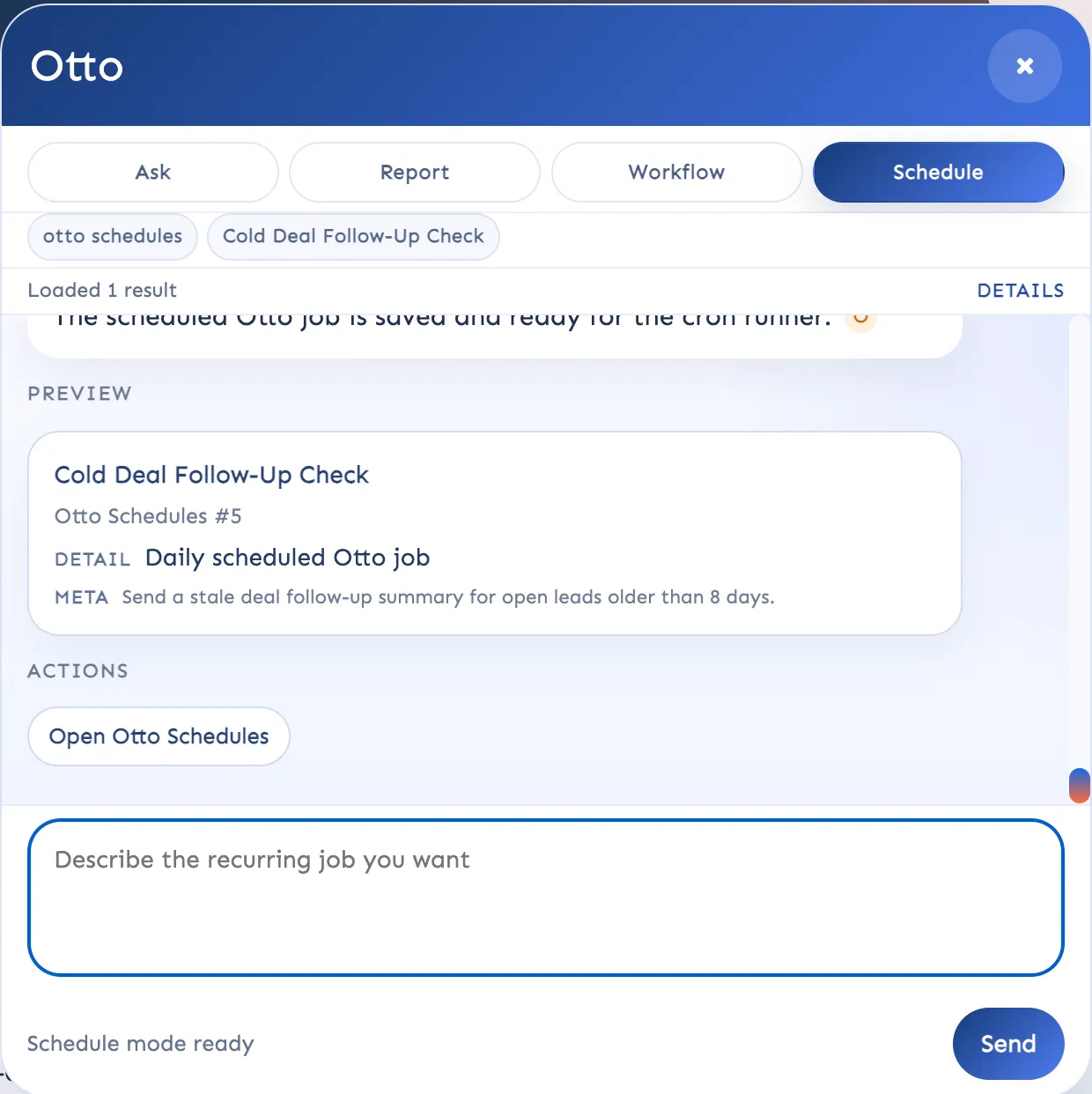
Pull reports, summarize records, draft workflows, and find the next step without clicking through every screen manually.
Super Easy CRM is built for teams that need one, reliable source of truth that connects to every part of their business. Build automations that turn separate tools into a thriving ecosystem, with an AI Agent that you control.
Track customer work and issues without having your data sprawled across a bunch of different tools. Super Easy CRM connects records, follow-up, support, projects, and internal actions so the team can move in one system.
Pull reports, summarize records, draft workflows, and find the next step without clicking through every screen manually.
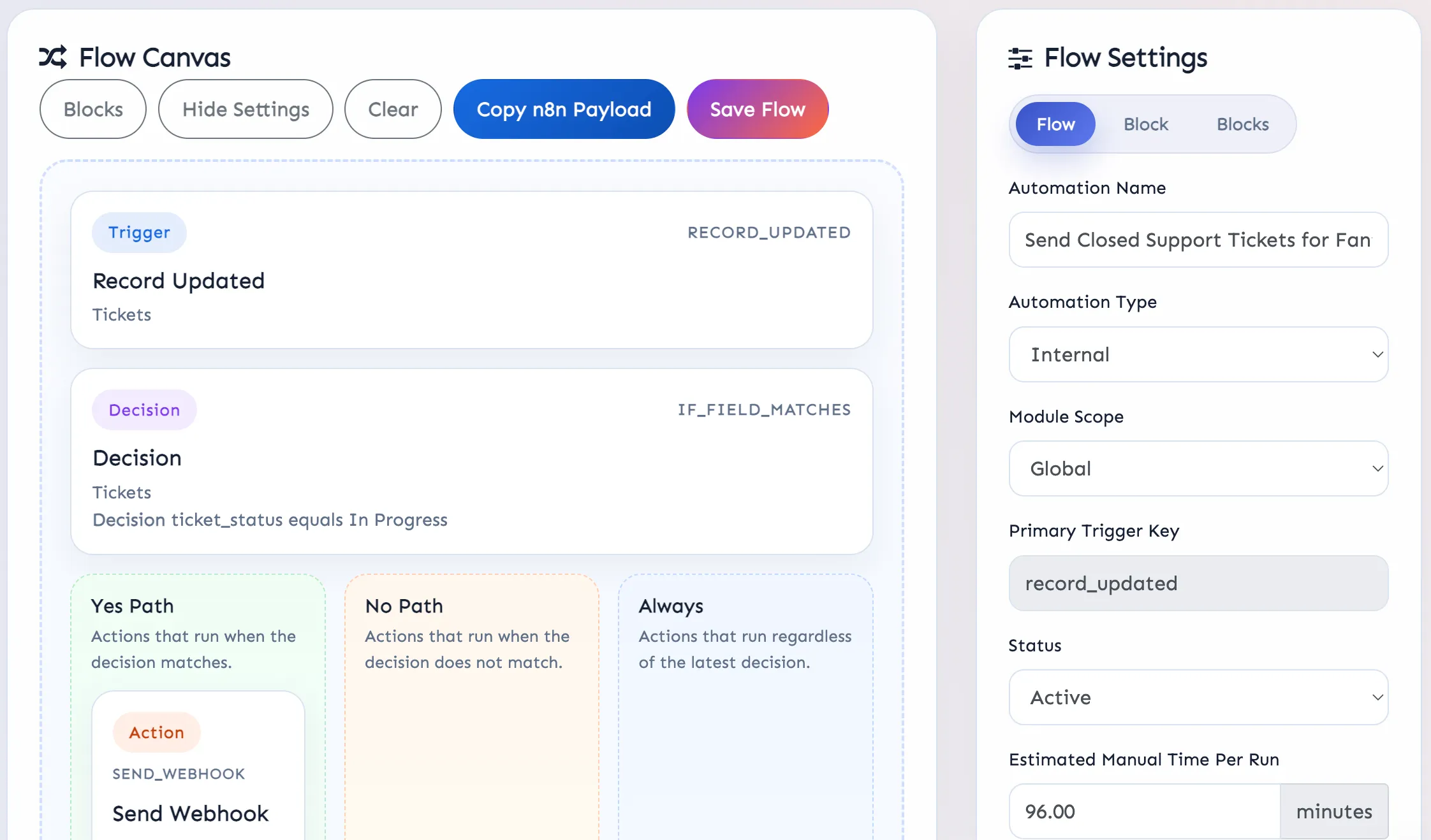
Create task series, send webhooks, trigger alerts, update records, and move work forward automatically when the right conditions are met.
Manage tickets, projects, milestones, schedules, and ownership from the same workspace instead of stitching tools together.
Never let any AI agent roam your CRM unchecked. Choose what data it can see, what records it can touch, and where human confirmation is required before any changes are made.
Otto helps the team move faster, but it works inside the limits you define. That keeps the AI practical without letting it wander through the whole CRM unchecked.
Instead of hoping users remember what the AI should not do, you decide where Otto can read, where it can write, and where it must stop and ask first.
This automation builder isn't just a notification tool, its built to replicate the kinds of actions real people take inside the CRM. It creates follow up tasks, escaltes cases when they meet certain conditions, sends and retrieves data from external systems, and keeps on operating long after you log out for the day.
The goal is not automation for its own sake. The builder is meant to replicate the steps a capable team member would take inside the CRM, then run them consistently.
Take a look at what your CRM can do when you use it as more than a fancy spreadsheet. Punch well above your weight class by letting your CRM become a high functioning employee, not just another subscription you pay every month.
Start with the core CRM, bring in Otto where it helps, and use the automation builder to take repeat work off the team’s plate without losing control.