Want All the CRM Benefits Without Leaving Your Inbox? Here's How to Build It
A CRM that nobody opens is usually a failure. This is the one time it was the entire point.
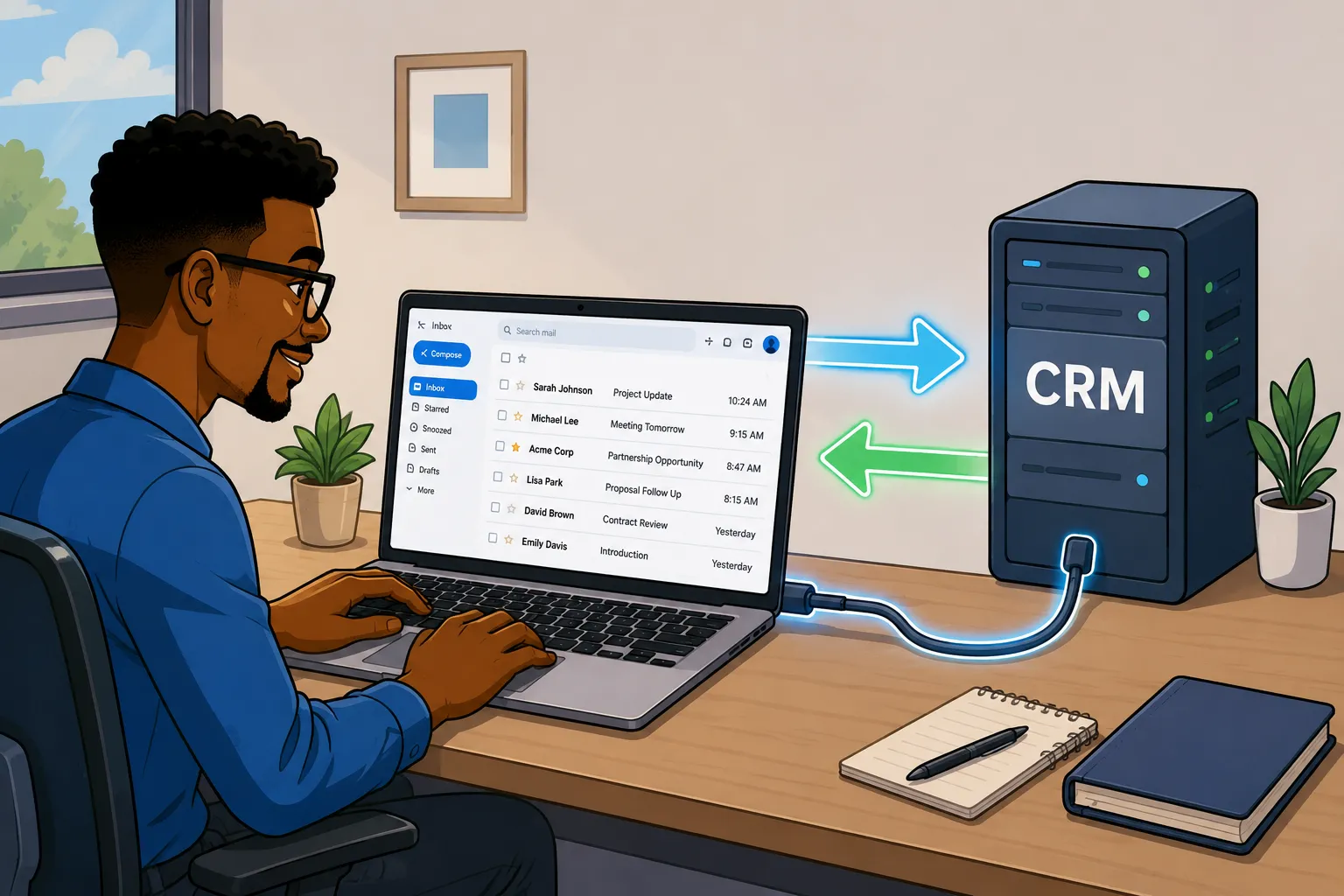
A private equity client told me he wasn't going to log into a CRM, and he meant it in a way that made clear the conversation was already over if I pushed back. He runs his entire deal pipeline out of Gmail, and any system that required opening a separate tab was a system he'd abandon inside a week regardless of how good it was. I've run into this pattern enough times across different industries that I stopped treating it as a training problem and started treating it as a design constraint, and the fix is almost always the same: build the CRM around the inbox instead of trying to pull the user out of it.
The Setup
Why "CRM-less" Doesn't Mean No CRM
He still wanted pipeline tracking, contact history, and deal stages, all of it, he just refused to be the person responsible for logging any of it (which I kinda respect, time is something even Elon Musk can't buy). Every interaction he had with a founder or a broker was already happening in his inbox anyway, so the architecture I needed to build was one where the CRM updated itself off the back of that activity rather than waiting on him to go do it manually in a second tool.
Super Easy CRM still holds every contact, every note, every stage, exactly the same as it would for a sales team logging in five times a day. The database didn't go anywhere, the only thing that changed was the entry method. This is really just the trustworthy-CRM idea taken as far as it can go: the CRM should be getting fed by the systems around it instead of by a human manually typing things in, and an inbox that reports everything back automatically is about as far as you can push that before there's no manual entry left at all.
The Architecture
Gmail, n8n, and a CRM That Never Gets Opened
Gmail is the only surface he ever touches, n8n sits in between as the listener and translator, and Super Easy CRM holds the data and stays completely quiet unless something needs his attention, at which point it talks back to him through email rather than through a notification that would require opening the platform to read.
Five things kick the workflow off:
- An email arrives from a sender not yet in the CRM
- A reply lands on a thread tied to an existing contact
- He applies or removes a Gmail label (PE/Hot, PE/Follow-up, PE/Passed)
- A contact goes silent past the cadence threshold for their current stage
- A calendar invite tied to a tracked thread gets accepted
From there the workflow handles contact matching or creation, note extraction from the message body, reminder emails back to him when something has gone cold, and templated outreach triggered by stage changes. Otto can layer on top of all of it later and start surfacing patterns across the data, the same way it would for a team logging in directly, because the underlying record structure is identical regardless of how the data got in there.
How I Manage Synchronization
Why I Didn't Write a CRM ID Into His Contacts
My first instinct was to write the CRM's UUID back into the Gmail contact record using the People API so both systems would always agree on who they were looking at. I built about half of that before I realized it was the wrong move. The moment a UUID lives in two separate places you have two sources of truth that can drift independently, and once someone edits a contact card by hand and the custom field gets dropped or overwritten, n8n ends up trying to match against a reference that no longer exists on the other side.
I scrapped it and went with something simpler. Email address was already the natural key both systems agreed on without me adding anything to the mix, so that's what I used. n8n looks up contacts by email address on every trigger, the CRM keeps the UUID internal to itself, and nothing has to leave the backend. Six months from now when someone inevitably makes a manual edit somewhere, there's nothing to fall out of sync.
Reading the Thread
Pulling the New Message Out of a Gmail Thread
This was the part I underestimated going in. The Gmail API hands you the full HTML body of a message including the entire quoted reply chain underneath whatever was actually typed, so if you store that verbatim as a note every time someone replies, a five-message thread ends up with the same conversation logged five separate times across the contact record.
Gmail's own client wraps the quoted history in a div with the class gmail_quote and the signature usually sits in its own div right after, which is consistent enough to split on reliably:
// n8n Code node
// Strip the quoted reply chain and signature out of a Gmail HTML body
const html = $input.item.json.body_html;

const withoutQuote = html.split('<div class="gmail_quote"')[0];
const newContent = withoutQuote.split('<div class="gmail_signature"')[0];

return { new_content_html: newContent.trim() };
The result gets stored against the email's Message-ID rather than the thread ID, and before writing a new note the workflow checks whether that Message-ID already has a record, so if the workflow fires twice on the same message nothing gets duplicated on the contact.
Real Time, or Close Enough
A Minute of Lag Never Cost Anyone a Deal
n8n's Gmail Trigger node operates on a polling interval you configure, defaulting to every minute, and the alternative is Gmail's push notification system through Cloud Pub/Sub where Gmail notifies your server the moment a message lands rather than waiting to be asked. The part people leave out when they pitch push as the obvious choice is that the watch subscription expires every seven days and requires a renewal job to keep it alive, which means you're maintaining infrastructure rather than just running a workflow.
I went with polling on this build and would point most people in the same direction unless there's a genuine real-time requirement driving the decision. Standing up a GCP project, a Pub/Sub topic, a webhook receiver, and a renewal scheduler is a real infrastructure commitment for a workflow tracking PE deal flow, not powering a live customer support queue, and the latency difference is not going to matter to anyone operating at that cadence.
The Part Nobody Asks About
Desktop Apps Break This. Web Clients Don't.
This architecture works cleanly because Gmail is web-based, and it's worth being direct about what changes if your client is running Outlook as a desktop application instead of the web client, because the answer is quite a lot. Desktop apps maintain a local copy of the mailbox that can quietly fall out of sync with what's actually on the server, and the failure modes that come with that are the kind that don't announce themselves.
I've run into this enough times in Microsoft-heavy environments that it's become one of the first conversations I have before scoping a build like this:
| Desktop app problem | What actually happens |
|---|---|
| Stale Cached Exchange Mode | Outlook maintains a local mailbox copy in an OST file that can drift from the server, so what the automation is reading and what's actually in the mailbox start to diverge without anything obviously breaking. |
| Messages stuck in the Outbox | An email looks sent in the UI, shows no error, and never reaches the server or the Sent folder. I've seen this sit for hours with the rep completely unaware anything went wrong. |
| Antivirus blocking the Outbox | Endpoint security scanning Outlook's local processes can interfere with send and sync operations without surfacing anything a normal user would see or think to investigate. |
| Old Outlook (2019) plus third-party encryption add-ins | Outlook 2019 is still everywhere because people are comfortable with it, but it's a known friction point when paired with encryption plugins like Zix, where the scan-on-send behavior can silently hold a message in the Outbox instead of handing it off to the server. |
None of that is theoretical. I've personally watched a message sit in an Outbox for hours with the sender completely unaware it hadn't gone anywhere, and I've traced CRM sync gaps back to an antivirus add-in intercepting Outlook's processes more than once. A web client like Gmail or Outlook Web App sidesteps all of it because there's no local cache to drift and no local Outbox for a plugin to quietly block. The API call either completes or it doesn't, and you find out immediately rather than three weeks later when a contact has gone cold and no one can explain why the follow-up they thought they sent never actually left the building.
Before scoping anything like this for a client, it's worth asking directly whether they're living in the web client or running a desktop install with years of plugins layered on top of it, because the answer changes the build.
Where This Falls Apart
For starters, this setup assumes one person per inbox. If a deal team has multiple people replying from different addresses on the same thread, contact ownership gets murky fast and email-as-key stops being a clean solution on its own.
Attachments don't get touched at all. Decks, NDAs, anything that comes in as a file stays in the email exactly as it arrived. If the client needs those logged to the contact record too, that's a separate build with its own logic and I'd scope it separately.
Anything that needs structured data a contact isn't going to naturally type into an email, deal economics, custom field values, anything that looks like a form field, still needs a real entry point somewhere. This approach captures the conversation that's already happening. It doesn't replace deliberate data entry.
And the label-based stage triggers only hold up if he actually uses the labels consistently. There's no enforcement in the system for that, it runs entirely on habits he already had before I built any of this.
Give the Reluctant User a Reason to Never Notice
Generally, all similar builds boil down to one simple question: what does the user already do all day long? The goal here was to decouple the UI from the logic layer while letting the client operate exactly as he had been for years. Success was going to be defined by how much information he could get into and out of the CRM without ever logging in. Things like reporting and data visualization would still require a trip into the platform, but the day-to-day was going to live entirely in Gmail, and that was the whole point.
It's the same instinct behind getting departments who don't think the CRM is for them into the CRM. The resistance usually isn't really about the tool, it's about asking someone to change a habit that already works well enough for them, and the path of least resistance is designing around that habit rather than trying to replace it.
In Super Easy CRM, the contact, automation, and Otto layers needed to build something like this are already in place, with n8n handling the Gmail-specific plumbing in front of it. If you've got a client resisting a system you built for them, the question worth asking first isn't which tool fits the use case better on paper. It's what they're already doing forty times a day without thinking about it.
PS: if your client is running Outlook desktop instead of a web client, have that conversation before you write a single node. It changes the build.

Posted by: Matt Irving on 06/22/2026